

The client list
Open Clients from the Clinical group. The tiles at the top count your clients, active clients, notes and active goals. Agency clinicians see only the clients assigned to them, labelled My caseload.
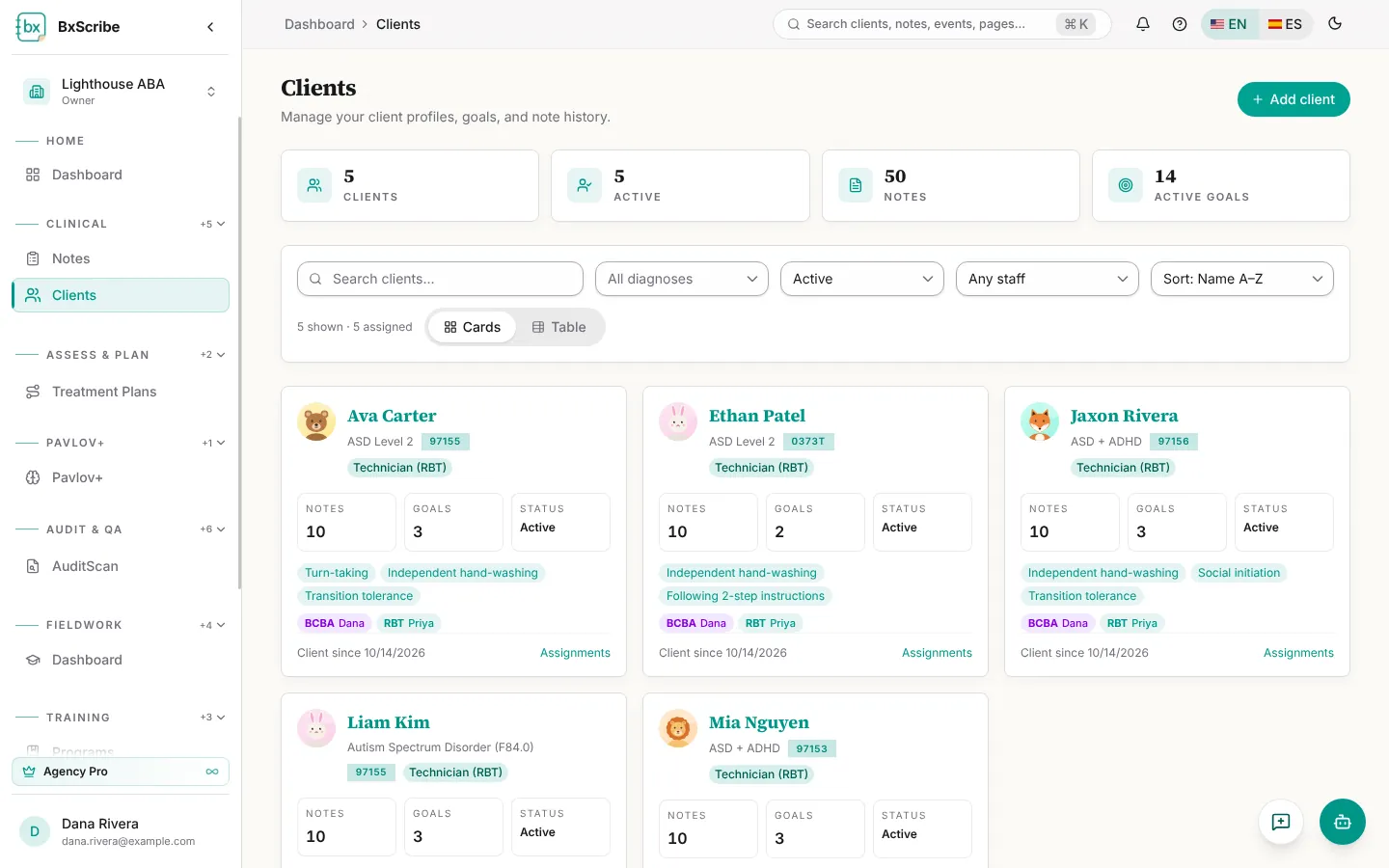
- Search by name, and filter by diagnosis, status (Active, On hold, Discharged, Waitlist) and, for agency managers, assigned staff.
- Sort by name, newest first or most notes.
- Switch between Cards and Table view.
Add a client
Only the client name is required; everything else can be added later.
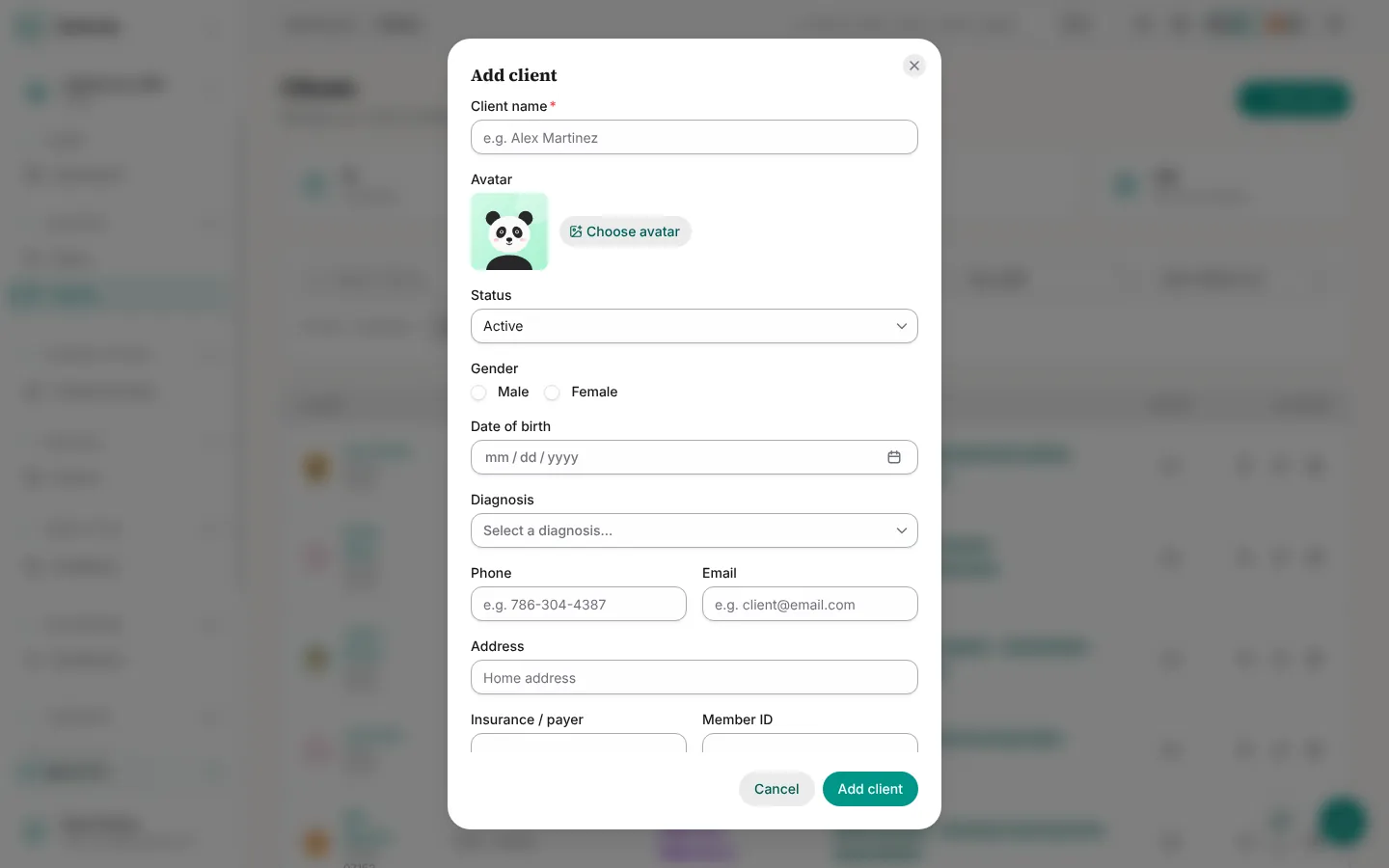
- Select Add client.
- Enter the client name and, optionally, an avatar, status, gender, date of birth, diagnosis and contact details.
- Add insurance details (payer, member ID, funding code) if you bill.
- Add behavior targets, intervention strategies, replacement behaviors and goals. These feed note generation and the Plan Builder.
- Optionally add caregivers and guardians under Care team.
- Select Add client.
Assign staff (agencies)
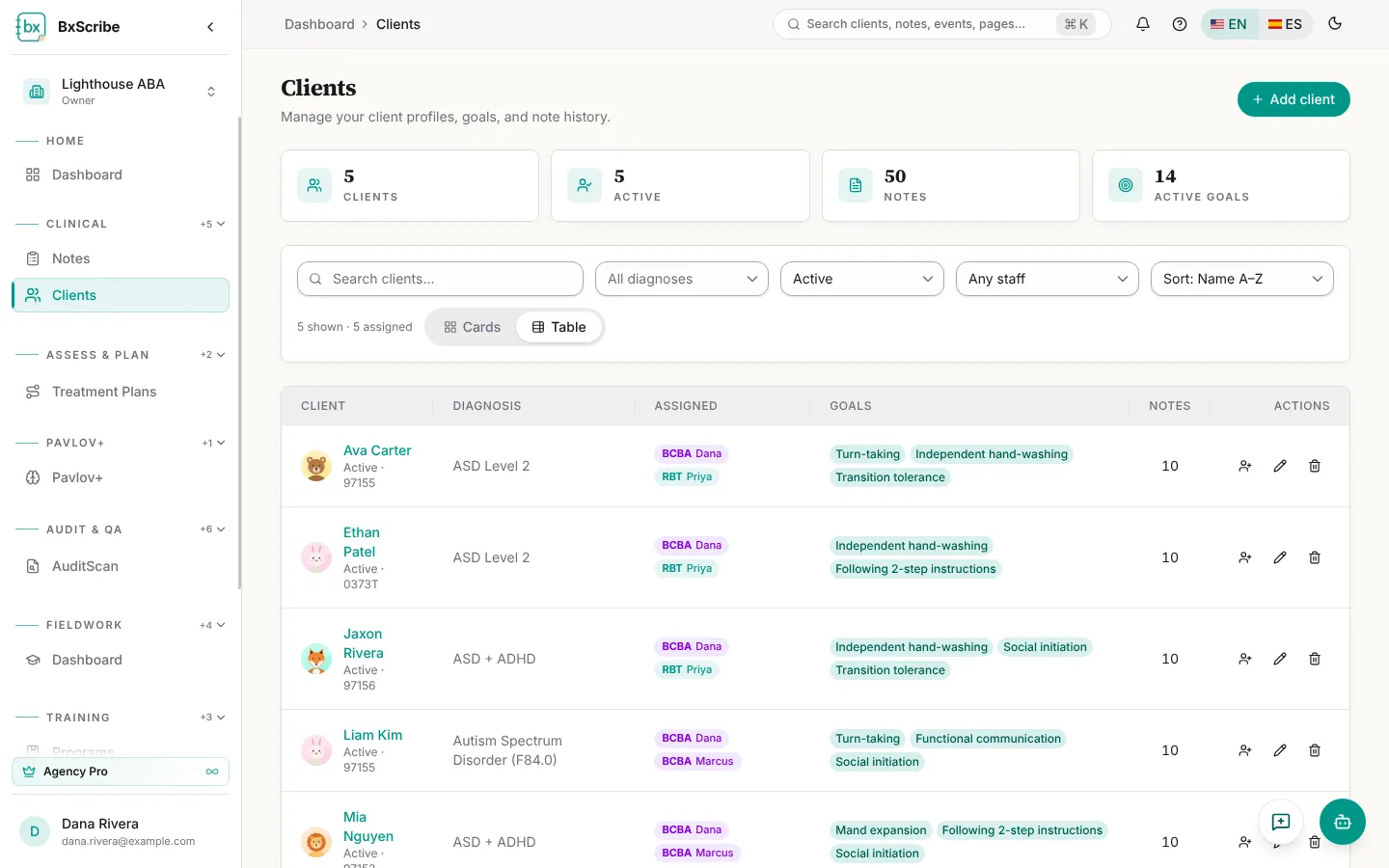
Agency owners, admins and clinical directors assign staff from each client's card with Assignments. Choose a person, a case role (Lead analyst, Supervising BCBA or Technician (RBT)) and select Assign. Clinicians can only open and document clients actively assigned to them.
Discharge or delete
When treatment ends, change the status to Discharged to keep the record. Delete is only for records entered in error: the dialog offers Discharge instead, or asks for a reason and the client's name before permanently deleting. Only personal account owners and agency owners and admins can delete.