

Who can use assessments
Assessments are for BCaBAs and BCBAs on Individual or Pro, and for agency owners, admins, clinical directors and BCaBA/BCBA staff on Agency Pro. The advanced instruments need Pro or Agency Pro.
The Assessments hub
Open Assessments from the Assess & Plan group. Cards start each instrument; your saved assessments are listed below, filterable by client and instrument.
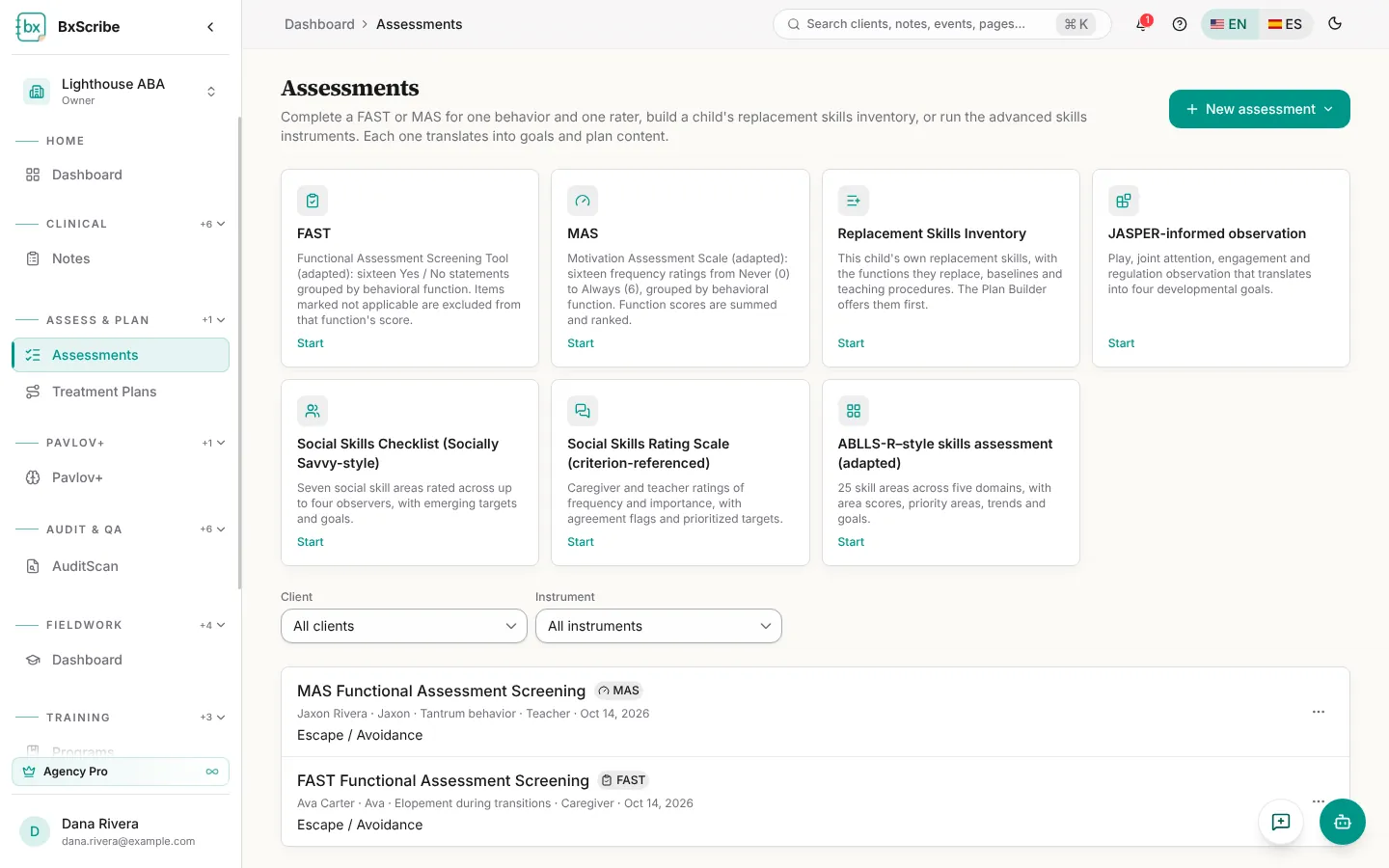
- FAST: 16 Yes / No statements grouped by behavioral function.
- MAS: 16 frequency ratings from Never (0) to Always (6).
- Replacement Skills Inventory: the child's own replacement-skill list, which the Plan Builder offers first.
- Advanced: JASPER-informed observation, Social Skills Checklist (Socially Savvy-style), Social Skills Rating Scale and an ABLLS-R–style skills assessment.
Complete a FAST or MAS
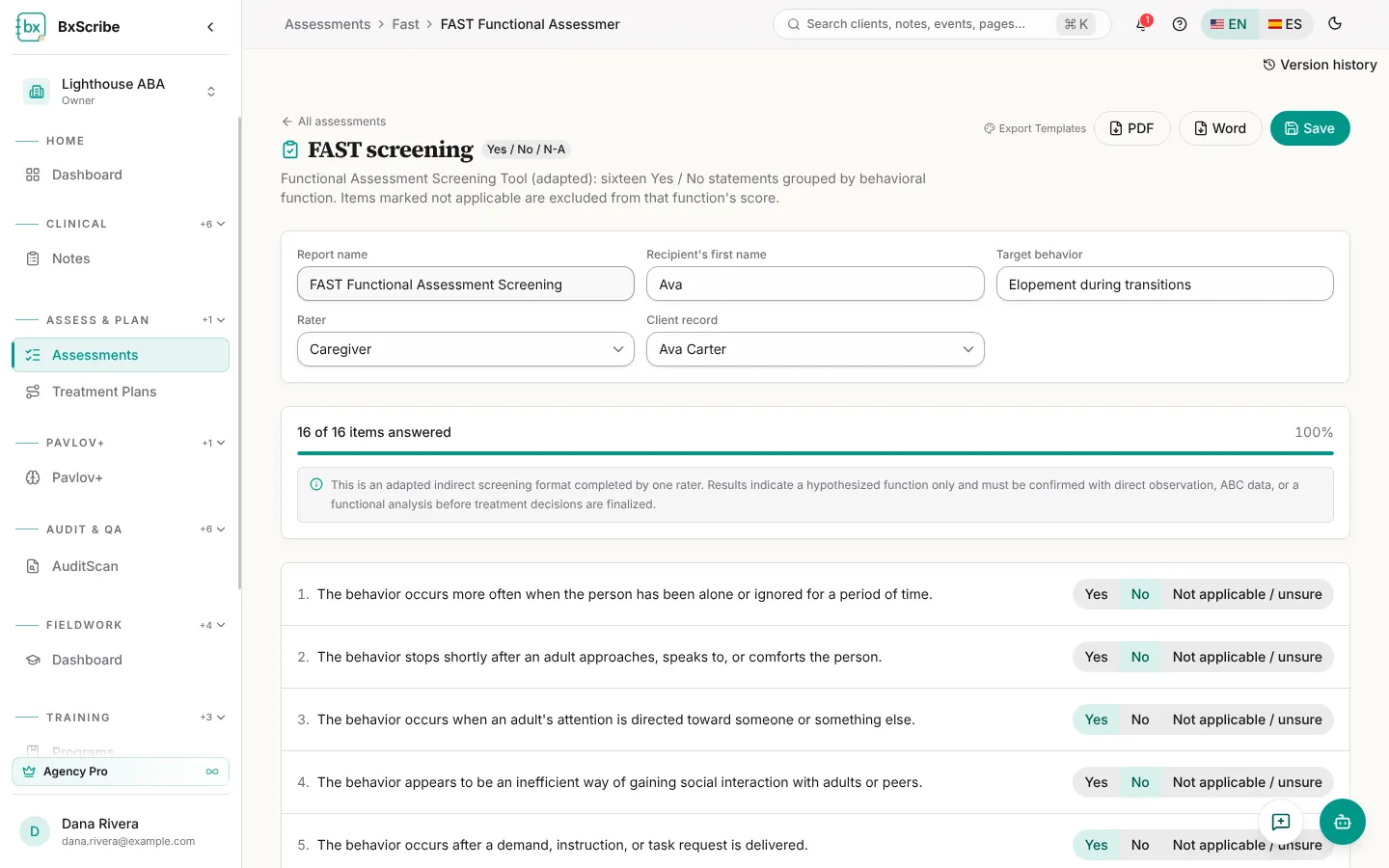
- Select Start on FAST or MAS, or choose New assessment.
- Fill in the report name, the recipient's first name, the target behavior and the rater, and link the client record.
- Answer all 16 items. A progress bar counts them.
- Select Calculate scores to see the Function Profile and the most likely function.
- Select Write interpretation for an AI draft, edit it, then Save.
- Choose an export template and download PDF or Word.
Advanced instruments and goals
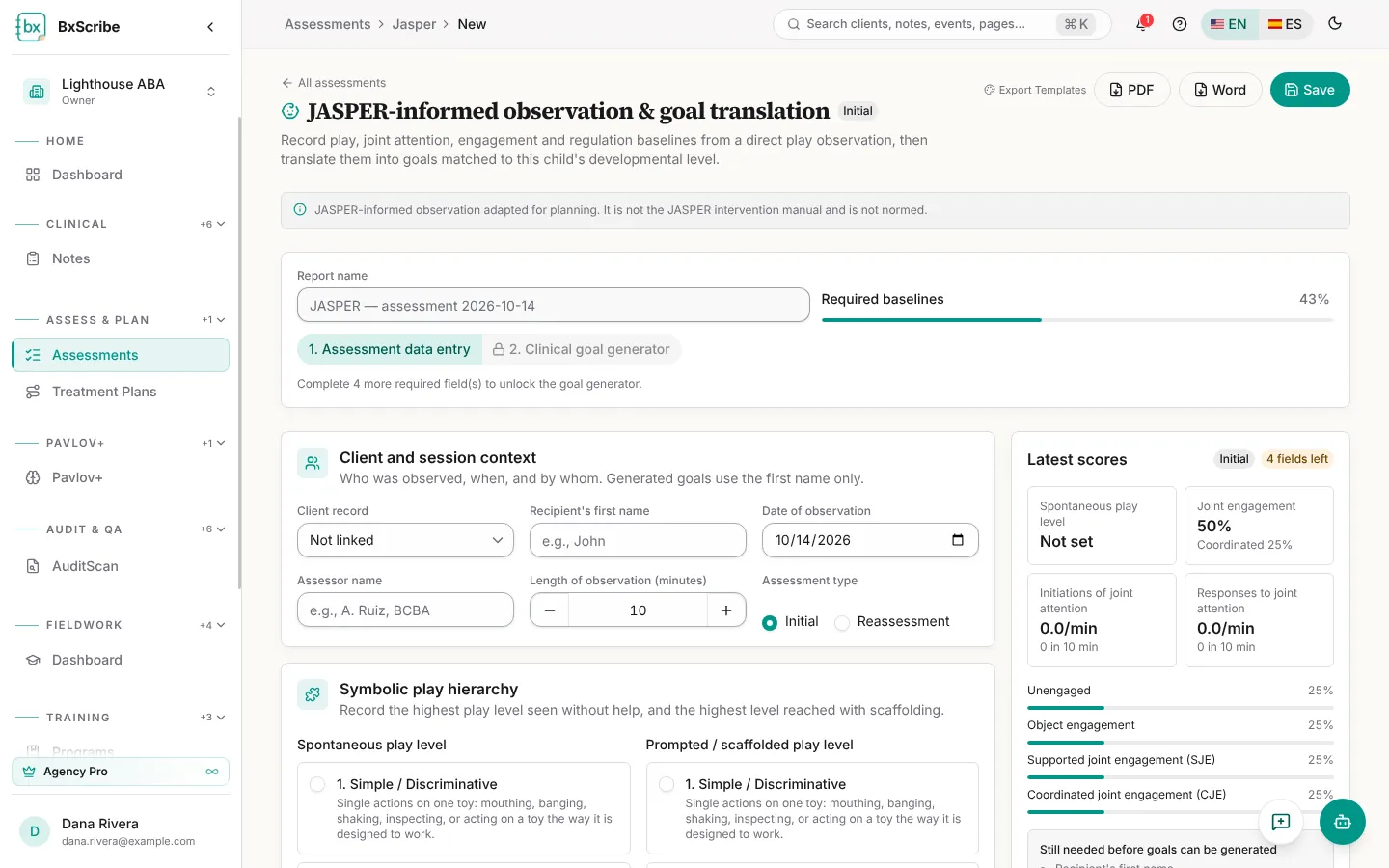
JASPER, the social skills instruments and the ABLLS-R–style assessment produce goals. After scoring, select Generate goals, edit the wording, then Add to treatment plan to add a goal to a draft plan. Tick Also create a data-collection program to start tracking it on the client's record.
Reassessments compare with the previous run, and Progress over time charts appear once a child has two or more saved assessments.
Manage saved assessments
Use the ⋯ menu on a saved assessment to Rename, Duplicate or Delete it. Inside any record, Version history lists every saved version and lets you restore one. Linked assessments also appear on the client record under Assessments.