Find a saved note
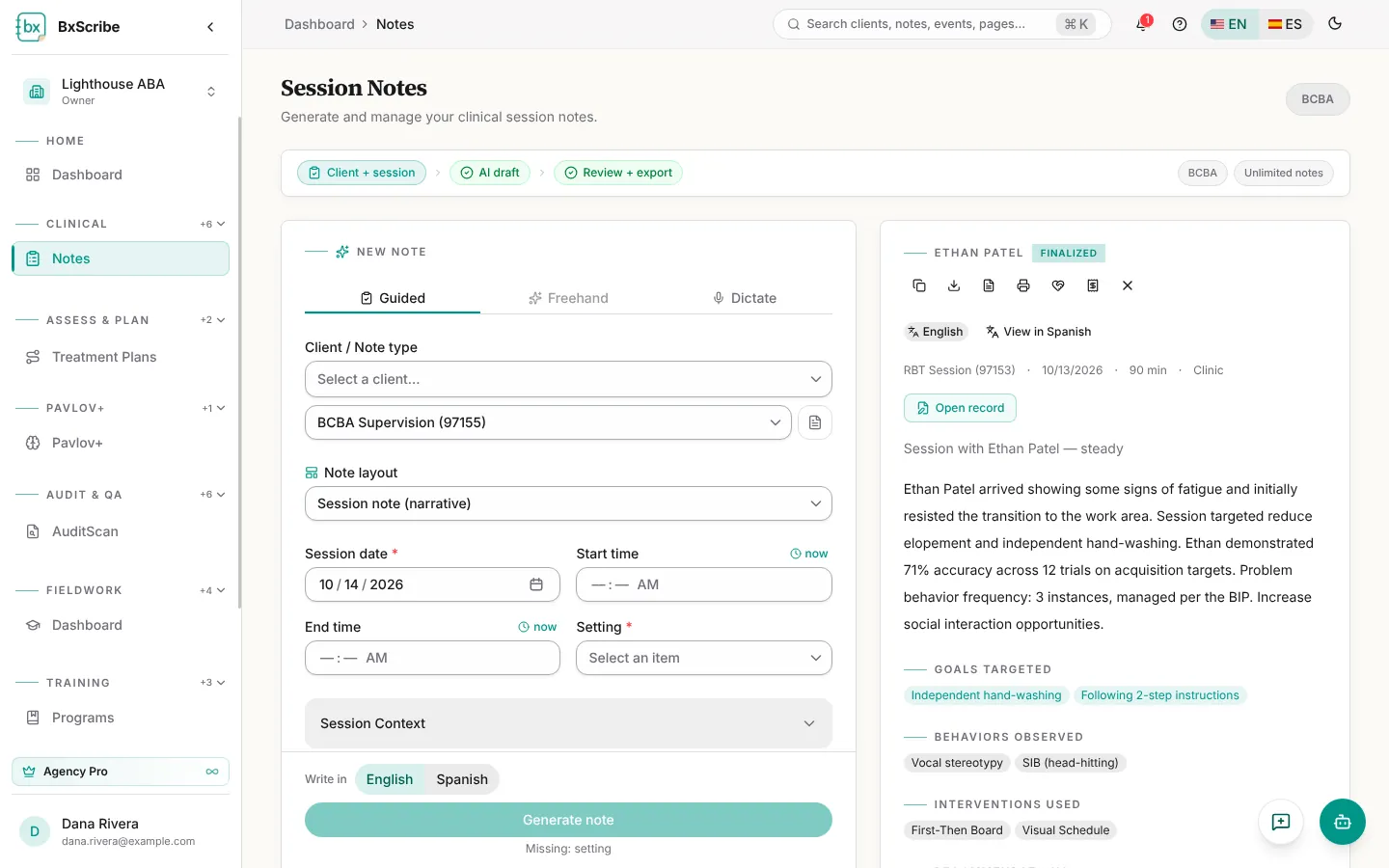
The Recent notes panel on the Notes page lists your 10 newest notes with their status and audit badge; filter it by client or download it as CSV. For every note a client has, with search and status, type and date filters, open the client's record and choose Session Notes.
The quick view
Selecting a note opens a quick view with its narrative and details. The icons along the top let you edit a draft, copy, download PDF or Word, print, share a finalized note with the caregiver portal, and (for agency billing staff) create a claim.
- Draft or returned notes: Sign & finalize, Finalize or Request supervision.
- Notes awaiting your review as a supervisor: Sign off & finalize or Return for correction.
- Finalized notes: Amend creates a linked draft and leaves the finalized note unchanged.
The full editor
Choose Open editor for the full-page editor. The narrative and summary are saved with Save narrative; every other section saves automatically about a second after you stop typing.
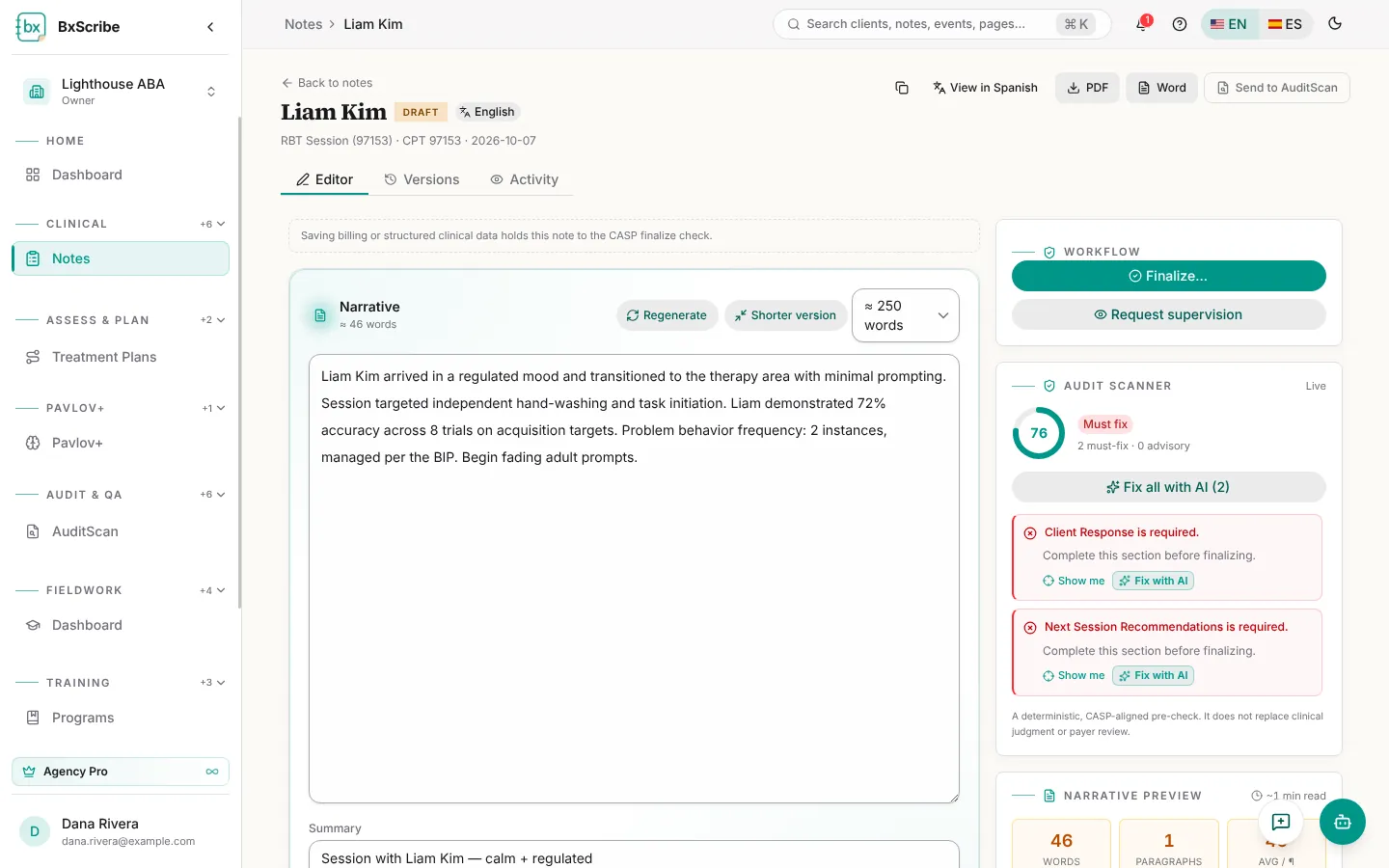
- Regenerate rewrites the narrative; Shorter version (paid plans) proposes a tighter version you can keep or reject.
- The Audit scanner scores the note live. Select Show me to jump to a problem, or Fix with AI (Individual and up) to repair it. Pro plans also get Fix all with AI.
- The CASP compliance card lists missing required elements; acknowledge a warning only when it doesn't apply.
- Suggestions proposes focus areas for the next session.
- Versions and Activity tabs (Pro and agency plans) show every saved version and a field-level change history.
Finalize and sign
Finalizing locks the note. The Finalize dialog shows the audit score and any must-fix items; acknowledge warnings that don't apply, confirm the attestation and finalize. Sign & finalize adds your drawn or saved signature with your credential.
If your agency requires co-signature for your role, finalizing sends the note to your supervisor. While it waits, use Recall to draft to change it.
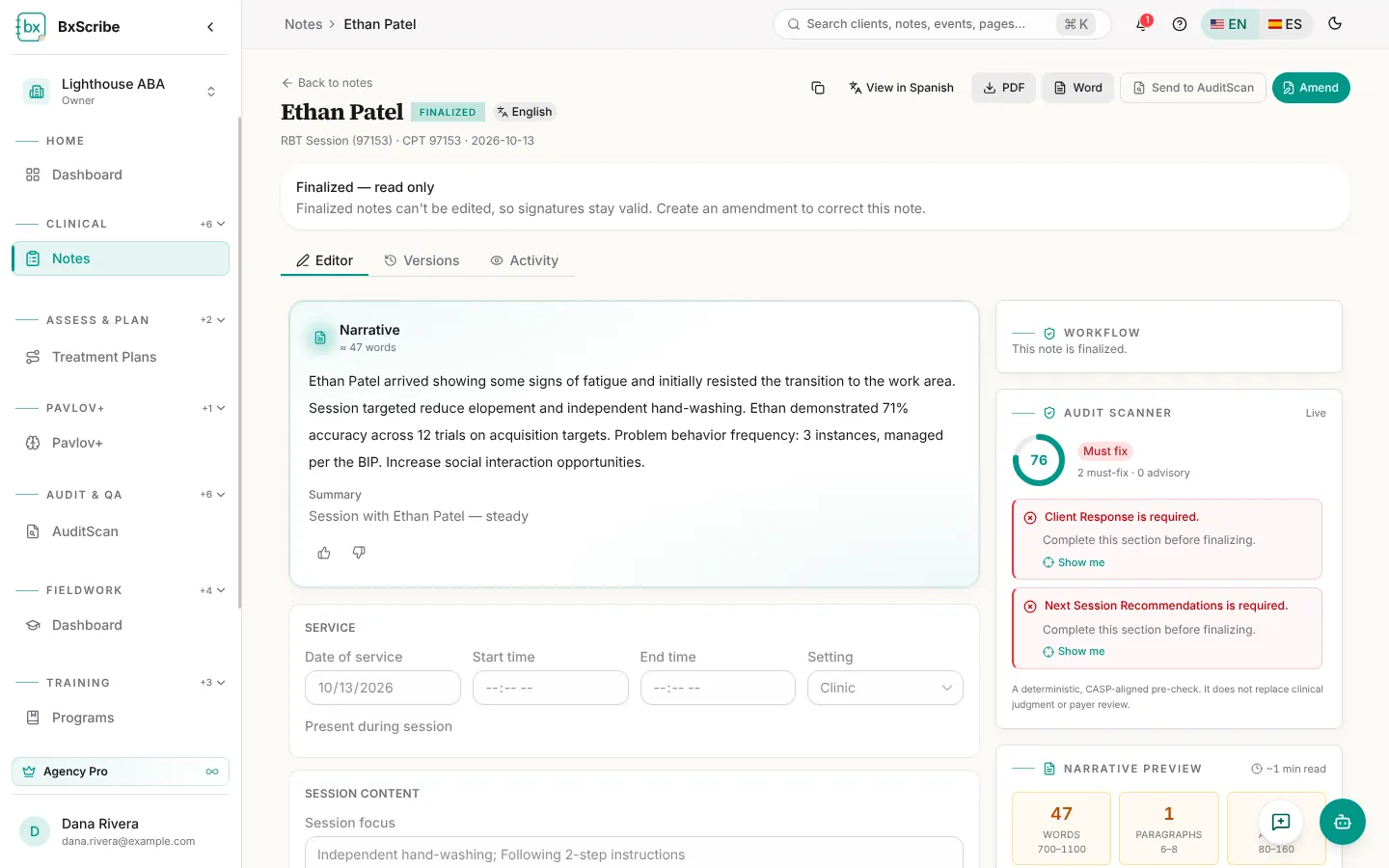
Correct a finalized note
Finalized notes are read-only. To correct one, select Amend. BxScribe creates a linked draft amendment that goes through the same review and finalize steps; the original stays on record unchanged.