Who can track fieldwork
Fieldwork tracking is included with paid clinical plans (Individual, Pro and agency plans). Supervisor tools such as approving periods, countersigning forms and drafting contracts need Pro or Agency Pro.
Connect with your supervisor
Fieldwork starts from a supervision relationship on the Team page.
- Open Team from your account menu and select Request a supervisor.
- Enter your supervisor's email (they need a BxScribe account), choose Supervised Fieldwork or Concentrated Supervised Fieldwork, and set the start date and, optionally, target hours.
- Select Send request. Your supervisor accepts it from their Team page.
The fieldwork dashboard
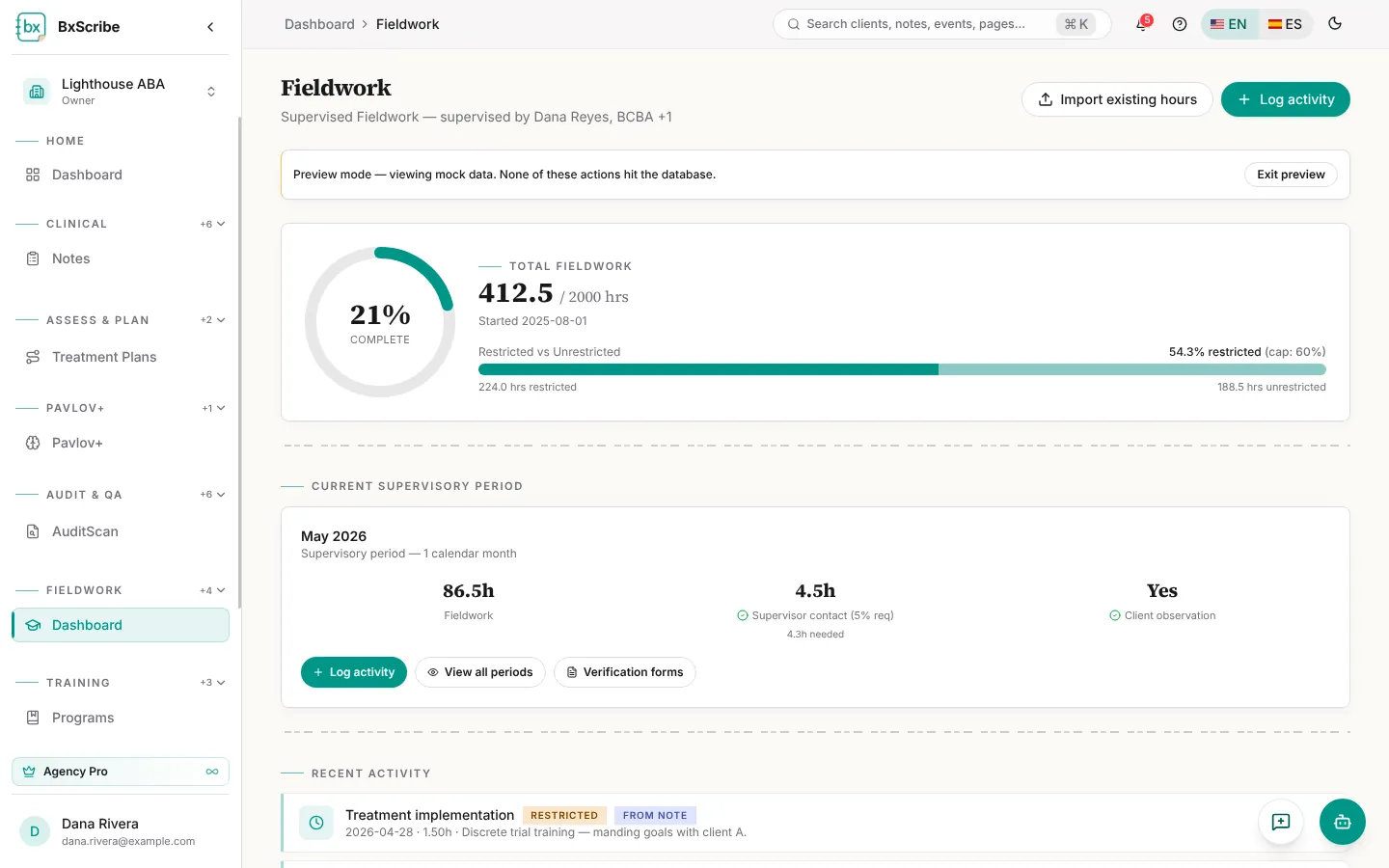
The dashboard shows your progress toward the total hours for your track, the split between restricted and unrestricted hours (it turns red if restricted hours go over the cap), the current monthly supervisory period and your recent activity.
Log activity
Select Log activity. The Fieldwork activity tab records your own hours; the Supervisor contact tab records supervision you received.
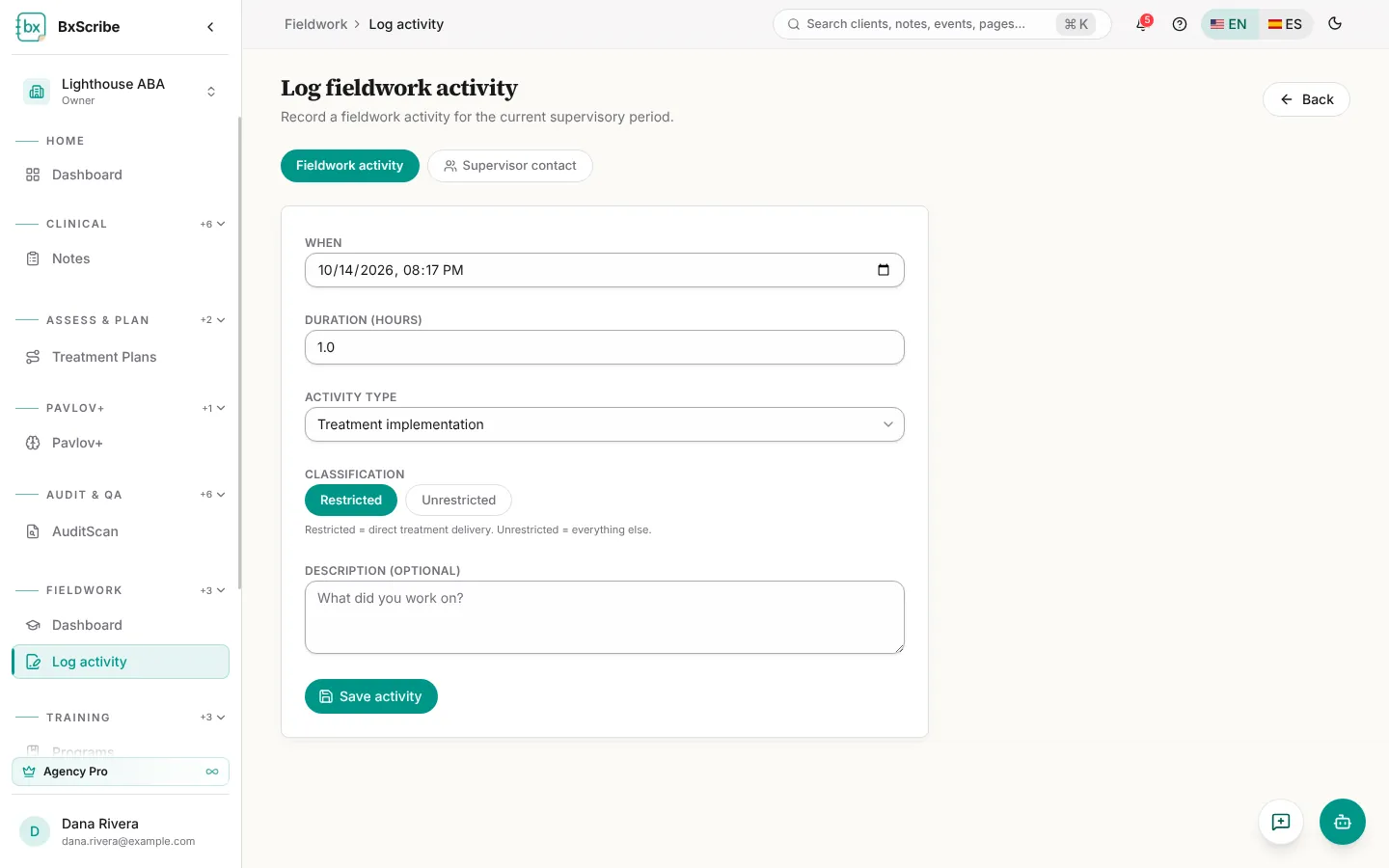
- Fieldwork activity: enter when, the duration in hours, the activity type and a description. Treatment implementation is marked Restricted and everything else Unrestricted; you can change it.
- Supervisor contact: enter when and how long, pick the supervisor and the format (Individual, Group or Observation with client). Group needs the group size; Observation needs the client.
- Select Save activity or Save contact.
Supervisory periods
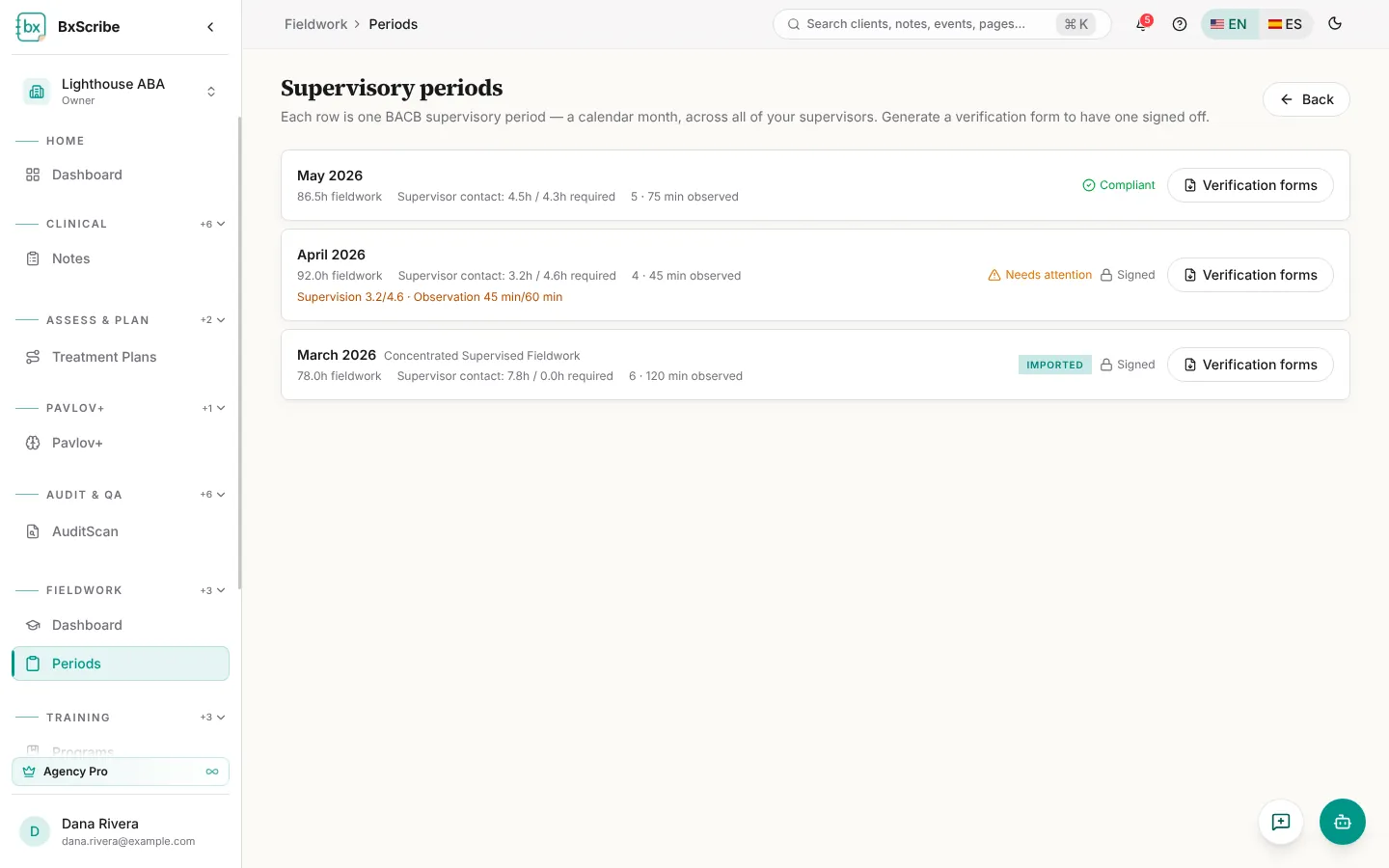
Periods lists each calendar month across all your supervisors, with fieldwork hours, supervisor contact against the hours required, the number of contacts and minutes observed. Each month is marked Compliant, Needs attention or Imported, and any requirement it misses is listed in amber.
Monthly verification forms
Each month needs a verification form per supervisor, signed first by you and then by your supervisor.
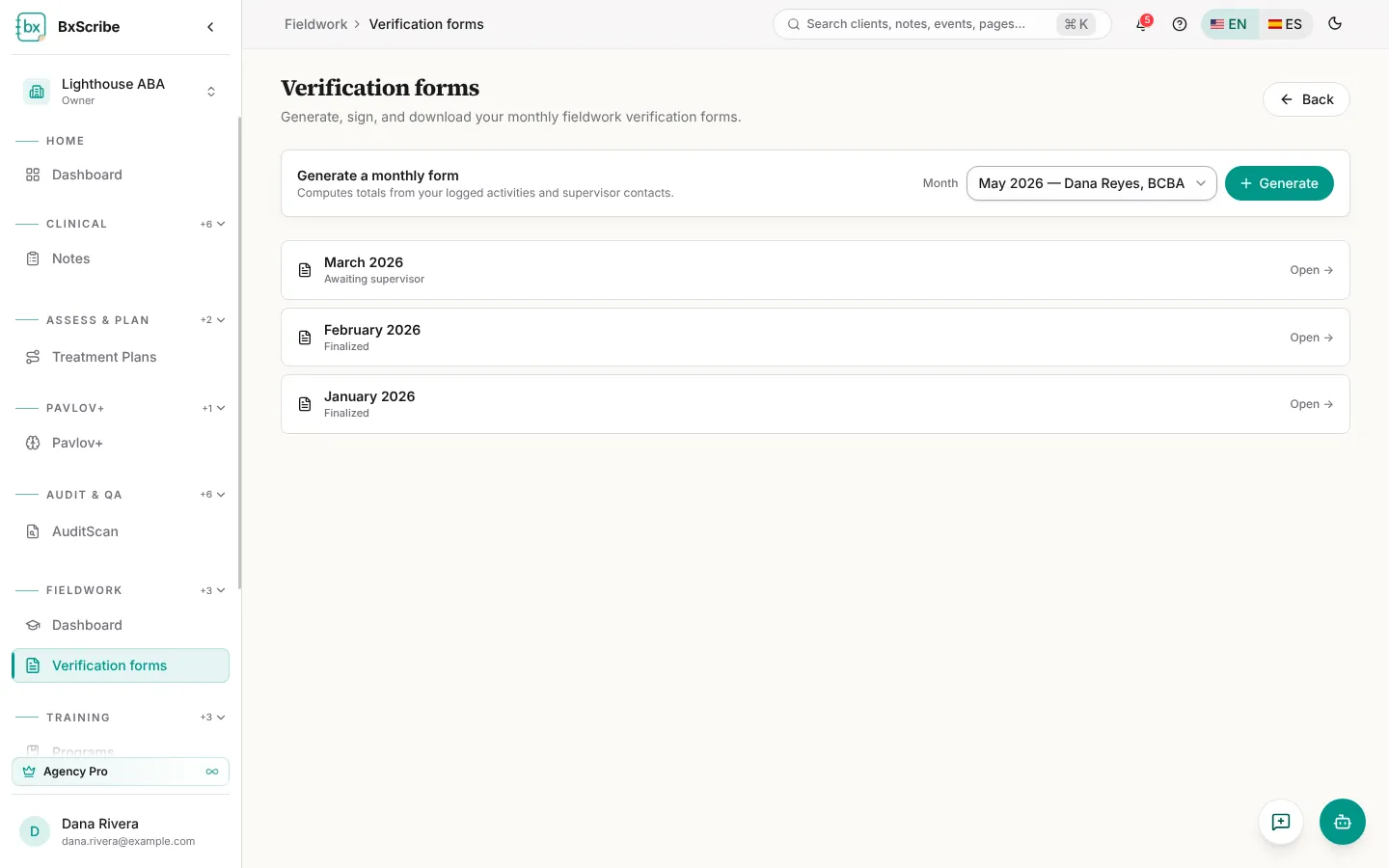
- Open Verification forms and choose the month in Generate a monthly form (months appear once you've logged a supervisor contact with that supervisor).
- Select Generate and check the monthly totals.
- Sign in the box and select Sign as trainee. The month locks and your supervisor is emailed.
- Your supervisor signs from their inbox, and the form becomes Finalized. Download PDF at any time.
Import hours from another tracker
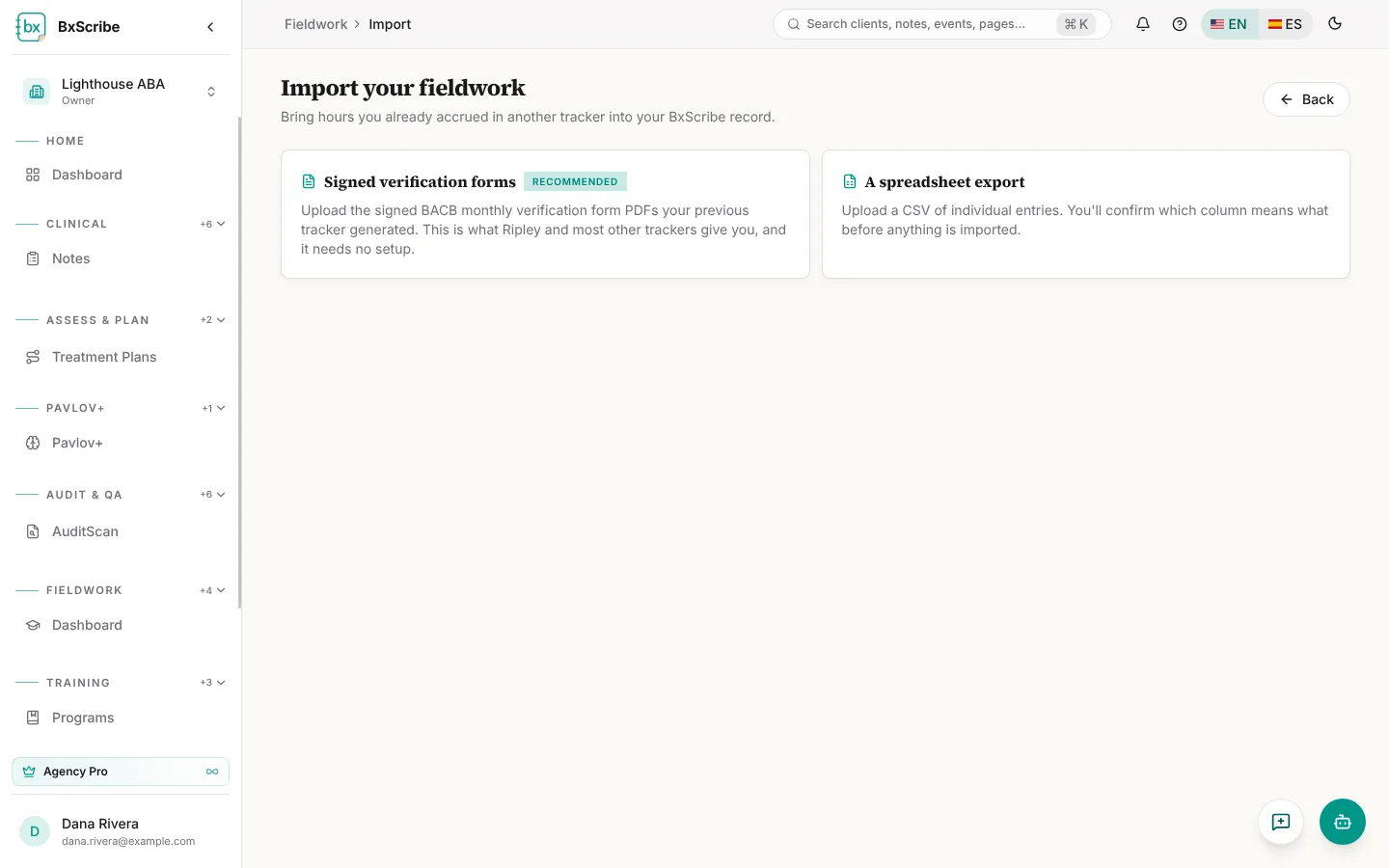
Select Import existing hours on the dashboard. Upload signed BACB monthly verification form PDFs (recommended), or a CSV export where you confirm which columns hold the date and hours. Preview what will be imported, then select Import. Imported months are tagged Imported.