Who can use billing
Billing & Claims is for agency owners, admins and staff with the Billing function. Billing staff see client demographics and insurance, but never note content.
The billing dashboard
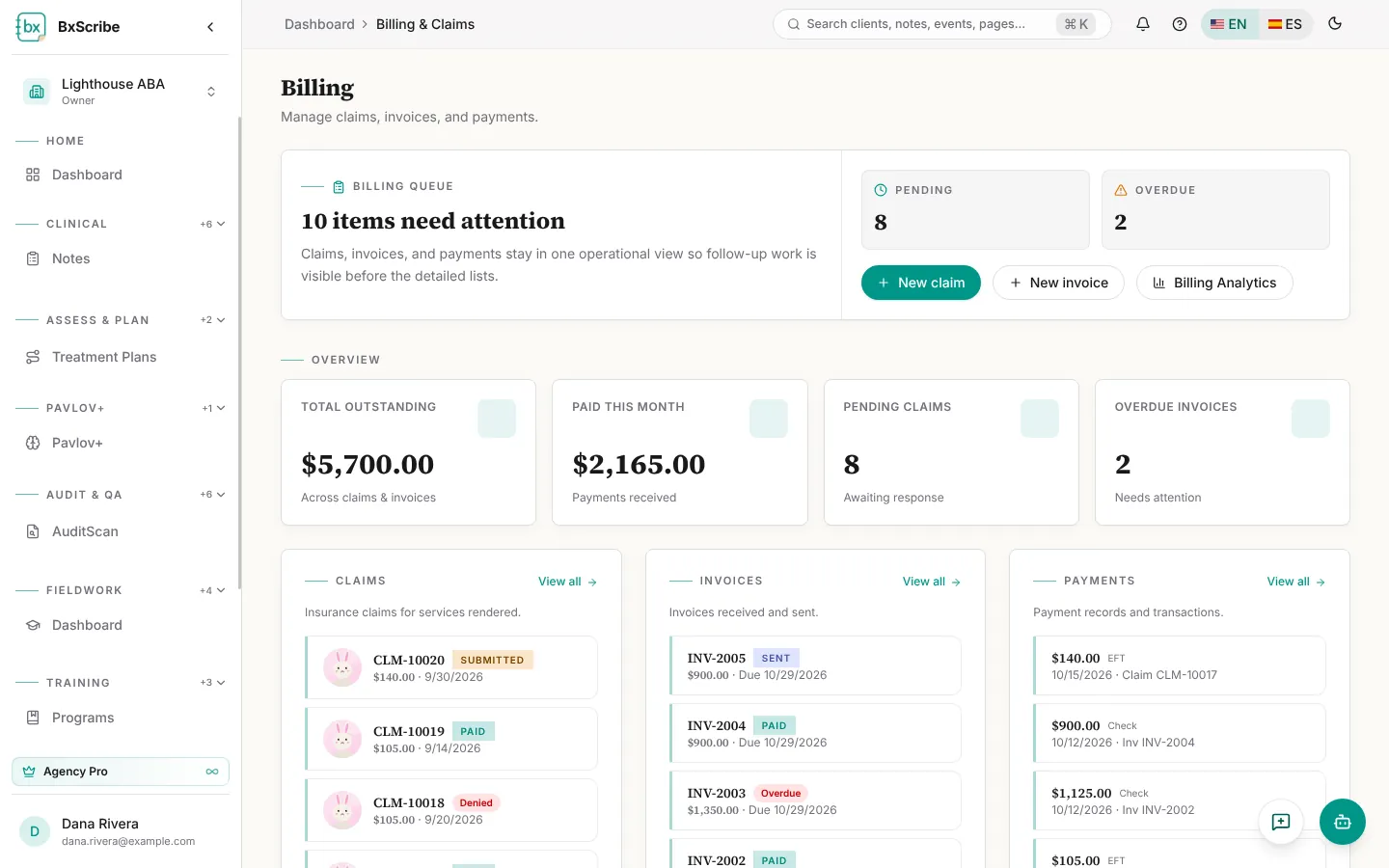
The dashboard shows the billing queue (items that need attention), total outstanding, paid this month, pending claims and overdue invoices, with the latest claims, invoices and payments. New claim, New invoice and Billing Analytics are at the top.
Create a claim
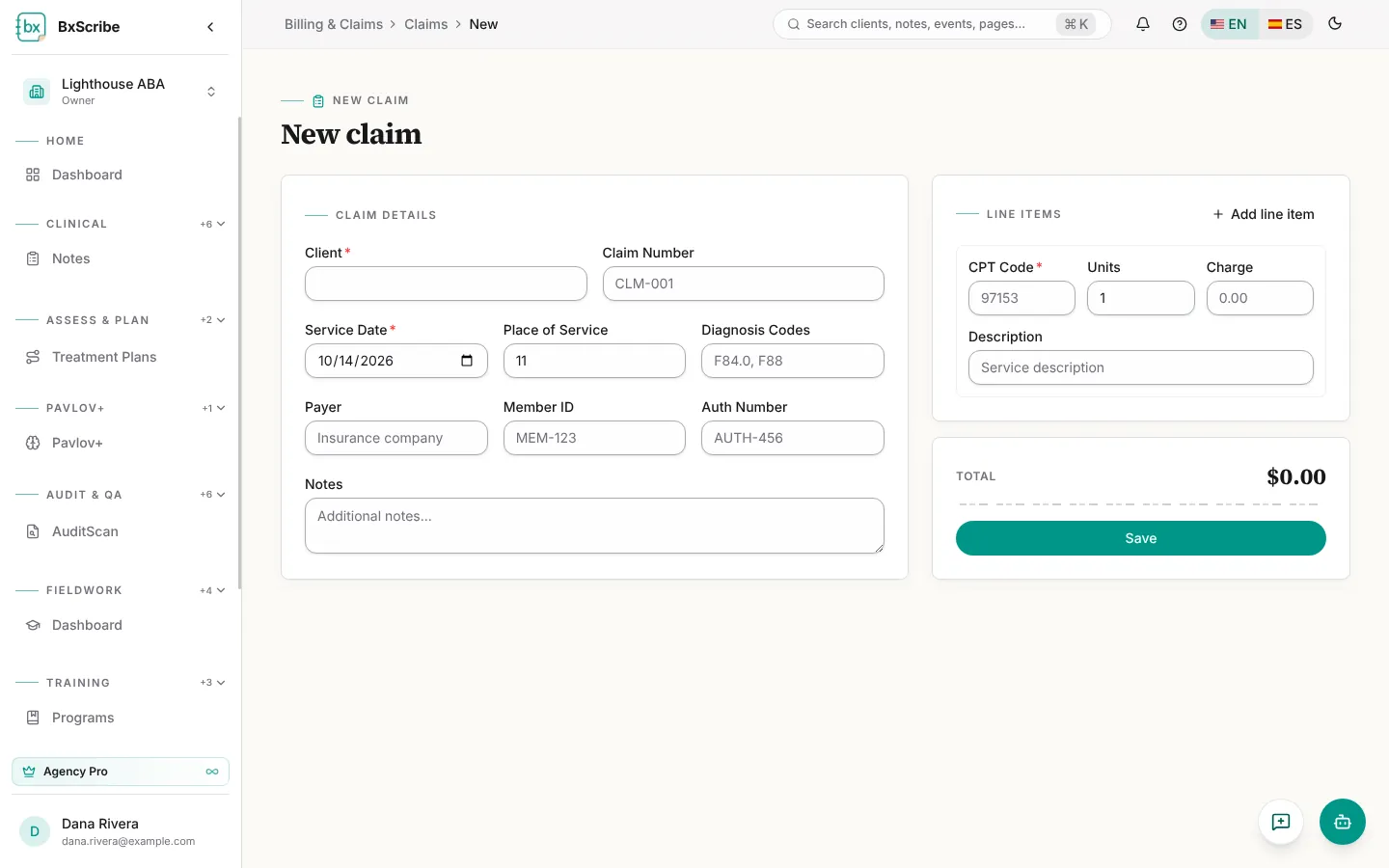
- Select New claim.
- Choose the client. Payer, member ID, authorization number and diagnosis codes fill in from the client record.
- Enter the service date, place of service and claim number.
- Add a line for each service with the CPT code, units and charge.
- Check the total and select Save.
Work a claim
The claim page shows a status timeline (Draft, Submitted, Accepted, Paid), the claim details, line items, a summary and payment history.
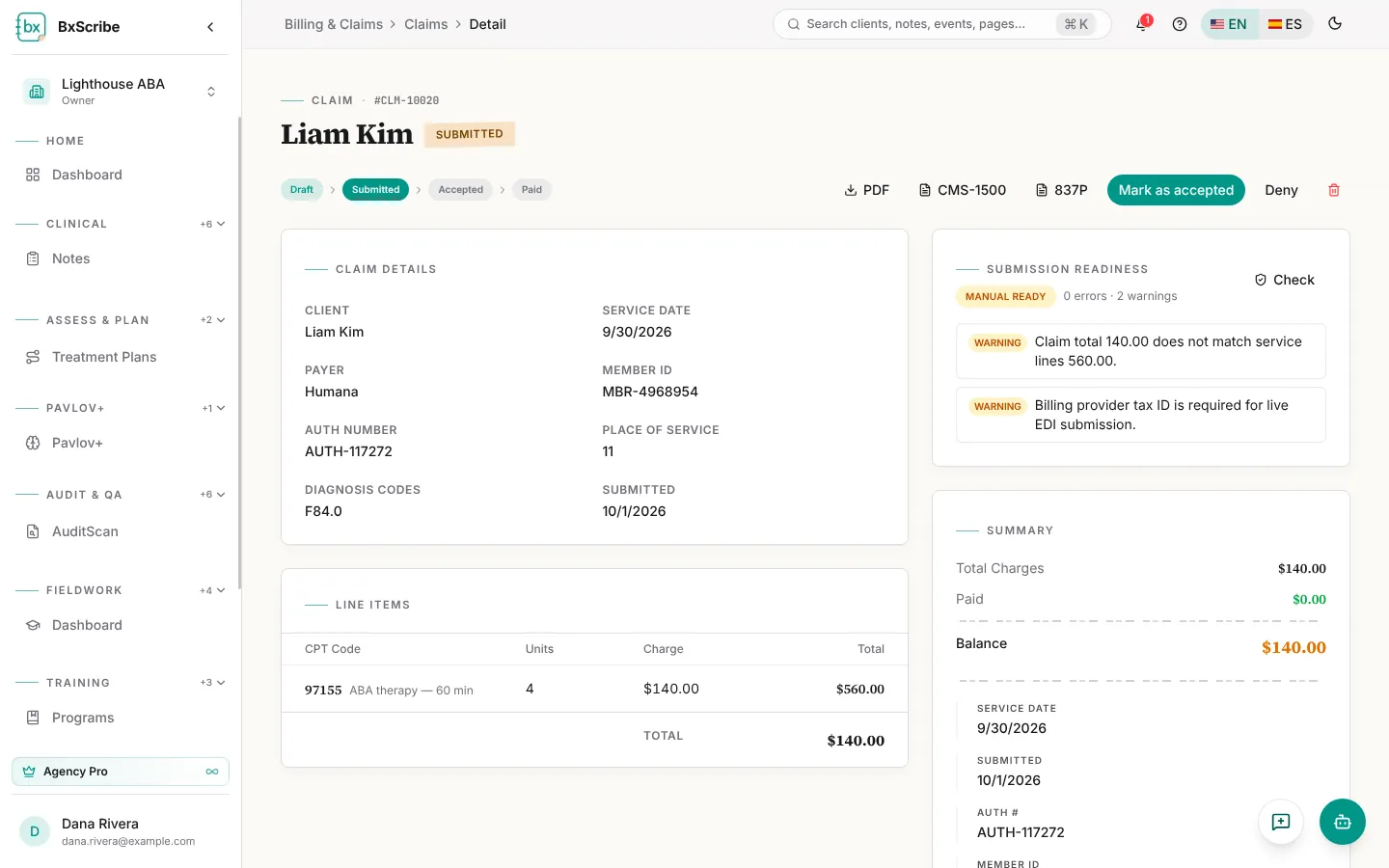
- Submission readiness checks the claim for errors and warnings before you submit.
- Download a claim summary PDF, a CMS-1500 PDF or an 837P draft file.
- Move the claim along with Submit, Mark as accepted and Mark as paid, or Deny it.
- The All Claims list filters by status: Draft, Submitted, Accepted, Denied, Paid, Partially Paid and Void.
Invoices, payments and analytics
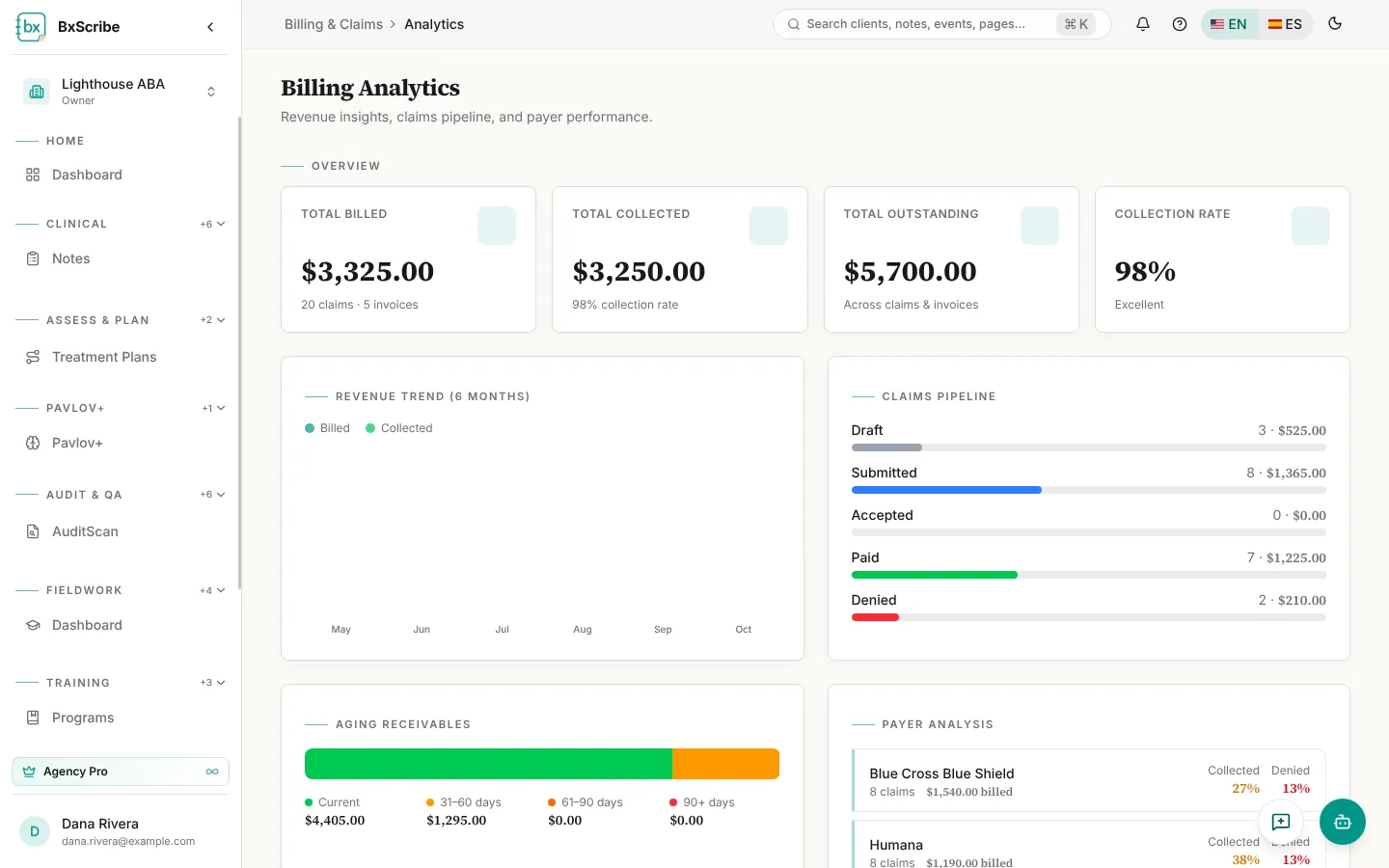
Invoices bill families or other parties: add the vendor, recipient, dates and line items, then download the PDF and mark it sent, paid or overdue. Payments lists the payments recorded against claims and invoices. Billing Analytics shows billed and collected totals, the collection rate, a six-month revenue trend, the claims pipeline, aging receivables and a breakdown by payer.