

Create a summary
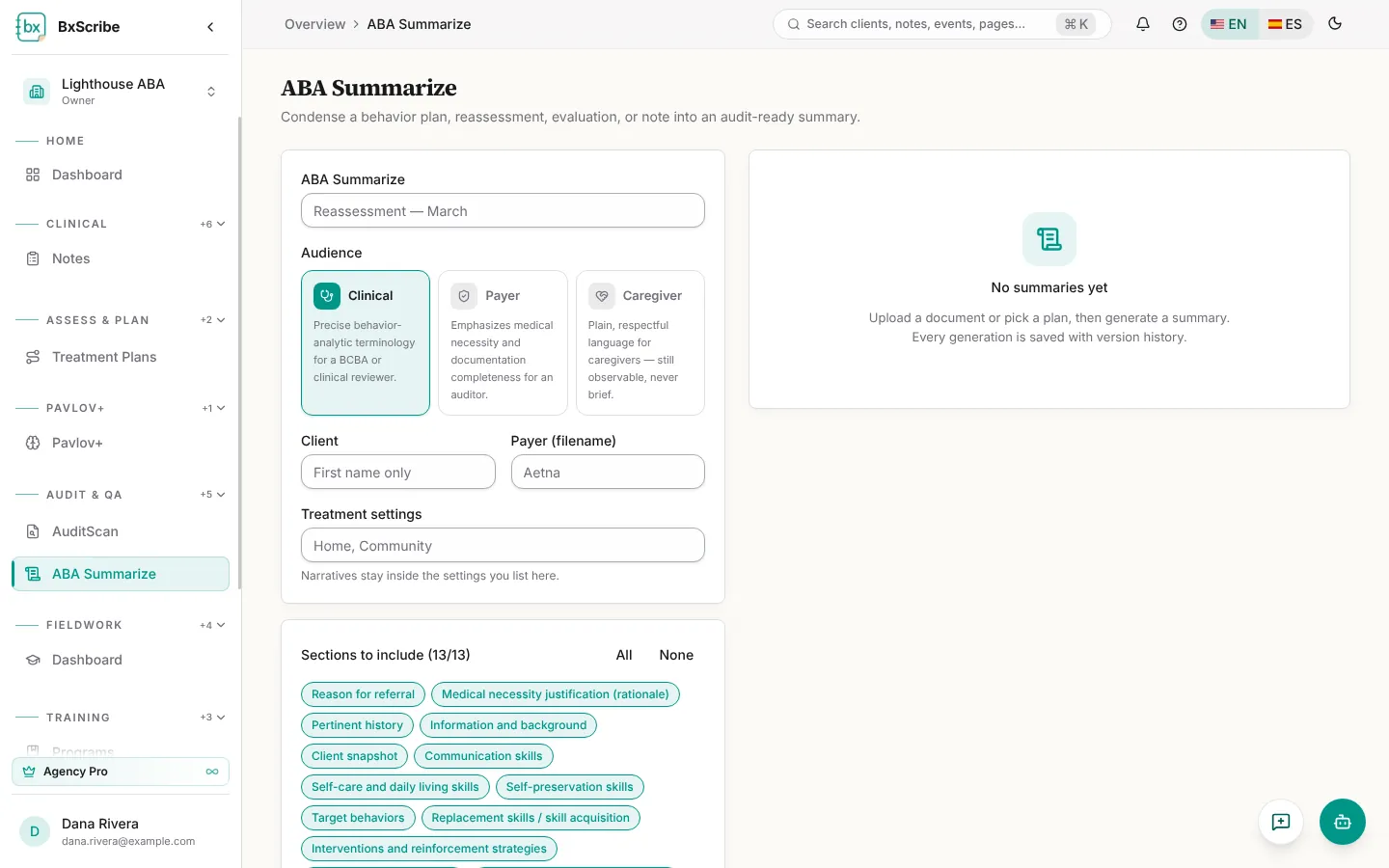
- Open ABA Summarize and give the summary a title.
- Choose the audience: Clinical, Payer or Caregiver.
- Enter the client's first name, the payer and the treatment settings.
- Choose the sections to include (up to 13, from reason for referral to recommendations).
- Add the source: upload or paste the document, or choose an existing treatment plan.
- Select Generate summary.
Edit, save and export
Every section can be edited, and Regenerate section rewrites one section. Select Save to keep a version. Export as TXT, Word or PDF with an export template, preview first, or open Versions to compare, restore or export an older version.